Image Vault
Search seven image libraries at once, look through the results, and download only what you want — with a licence record written alongside them.

The parts that matter.
Four sources need no account at all
Openverse, Wikimedia Commons, NASA and the Library of Congress work the moment you open it. Add your own free keys for Pexels, Pixabay and Unsplash and they join the same search — without a key they are skipped quietly rather than throwing an error.
It over-searches on purpose
Ask for twelve images and it gathers at least five times that many candidates, rephrasing your wording up to three times per source, then narrows to the most varied set. You are choosing from a spread rather than from the first twelve matches.
Nothing is saved until you say so
Results arrive as a gallery of previews. Tick the ones you want and download the selection, or take everything on screen. Your disk stays clean while you are still deciding.
A licence record with every batch
Alongside the images it writes attribution.txt — title, source, creator, licence, page link and resolution for each file it saved. Free does not mean unrestricted, and this is the record you will want if the images are going anywhere public.
Three separate duplicate checks
Repeated web addresses and near-identical titles are dropped while searching. Then, as each file downloads, its contents are fingerprinted and an exact match is skipped rather than written twice.
A live panel instead of a scrolling log
Search progress, previews loading, files downloaded, duplicates skipped and errors, all counted in one fixed panel you can read at a glance while it works.
What it actually looks like.


From start to done.
- Unzip it anywhere and run the program. There is no installer and Python is not required.
- Type what you are looking for and how many images you want — anything from 1 to 80.
- Pick a single source, or leave it on Auto Recommended and let it blend them.
- Narrow by minimum resolution, orientation or safe search if those matter to you.
- Look through the gallery, tick what you want, and download the selection or all of it.
What it needs
- Windows
- Windows 10 or 11, 64-bit
- Python
- Not needed — it is bundled in
- Internet
- For searching and downloading
- API keys
- Optional, and only for Pexels, Pixabay and Unsplash
Not built yet
Why it exists, and how it’s built.
Getting it running
Download it, unzip it anywhere, and run UNIVRSLL Image Vault.exe. There is no
installer, nothing runs in the background, and you do not need Python — the
whole runtime is bundled into the download, which is why it is around 42 MB.
Windows will warn that the publisher is unknown, because the download is not code-signed yet. Choose More info, then Run anyway.
Images save to Downloads\UNIVRSLL_Images unless you point it somewhere else.
It remembers the folder, your last source choice and any API keys between
launches.
Why it exists
Finding one usable image is rarely one search. It is a tab for Unsplash, a tab for Wikimedia, a tab for whichever government archive might have the thing, and then the slow part — working out whether the picture you liked is actually free to use, and what you are supposed to credit.
Image Vault runs all of those searches at once and answers the licence question
in writing. That second half is the reason it exists. Plenty of tools will
fetch you an image; very few tell you where it came from after the file is
sitting in your downloads folder with a name like photo-4821.jpg.
The file most image tools don’t write
Every download run drops an attribution.txt into the same folder as the
images. For each file it records the title, the source, the creator, the
licence or rights statement, the page it came from and the resolution.
Keep it. Licences differ from source to source, and “free” covers everything from public domain to credit the photographer by name. The attribution file is the difference between using an image confidently and hoping nobody asks.
Search wider, not deeper
It never pages through results. Instead, when a search looks thin, it rewrites your wording into related phrases and asks each source again — up to three times per source — then throws away the overlap.
The practical consequence is that a vague search does better here than a narrow one, and that asking for more images than you need genuinely helps. Ask for sixty and keep ten.
What it does not do
Safe search only reaches Openverse and Pixabay. The other five sources have no such control, which is why the checkbox is labelled when supported rather than promising something it cannot deliver everywhere.
The minimum-resolution and orientation filters cannot apply to NASA or the Library of Congress, because neither service reports image dimensions. Those results come through unfiltered. NASA images also download at the preview size rather than the full-resolution original — a deliberate trade for speed, and the wrong choice if you need print resolution.
The duplicate check at download time is exact. It compares the file contents, so the same photograph re-saved at a different size or in a different format will still come through twice.
Your API keys are stored in a plain text file in your user folder. That is fine for the free tiers these three services hand out, and not where I would put a key that mattered.
Other things we’ve built.

Clipreel
LiveTurns hours of footage into a thirty-second montage, with every cut landing in a pause.
Learn more
UNIVRSLL Chat
LiveEncrypted chat for browser, phone and desktop. Direct messages are encrypted on your own device.
Learn more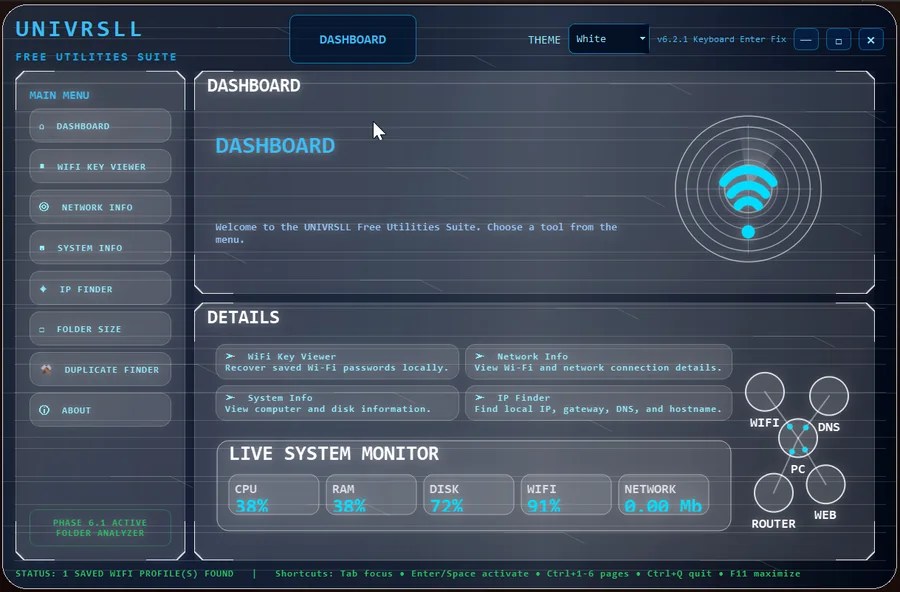
UNIVRSLL Command Center
LiveFive Windows utilities in one app: Wi-Fi keys, network details, system info, IP lookup and disk usage.
Learn moreWant something like this, built for you?
Tell us what you have in mind, even if you’re not sure how it would work. The first conversation is free.